
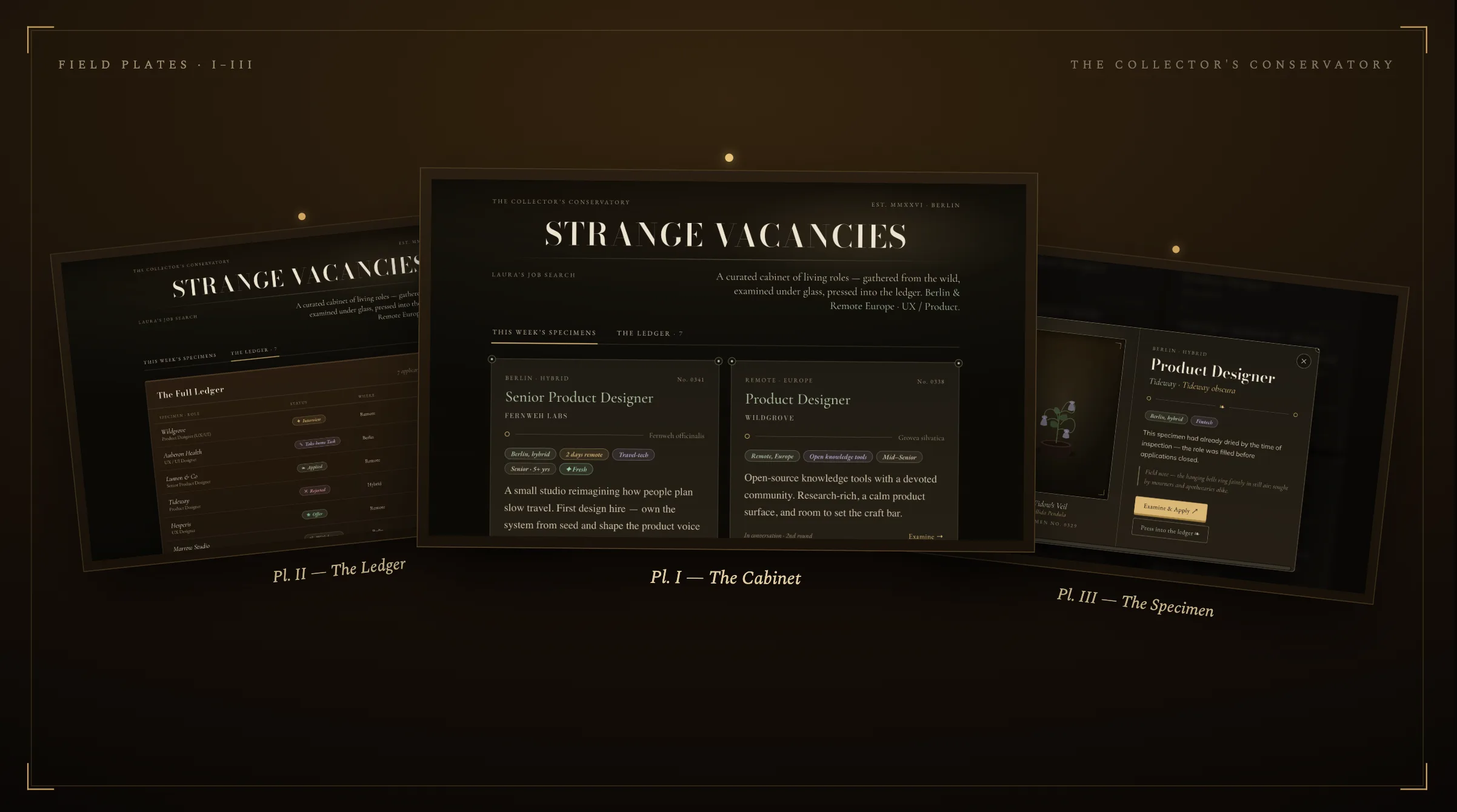
A few weeks ago, Claude offered double Cowork usage for a limited time. I’d used Cowork here and there, but Claude.ai and Claude Code were where I actually spent my time. The offer arrived right as I started seriously applying for jobs again, so I figured: fine, let’s actually find out what Cowork can do. I was not expecting to build a whole thing 👀
I started small. Twice a week, I ask it to search for open roles. That grew into something more precise: tailored to who I am, what I actually want, and eventually help me write cover letters that didn’t sound like a template (I gave it explicit writing rules for that, more on those later). The last piece is the one that made the whole thing fun. Instead of dreading it, I built the tracker around Strange Horticulture, a game I love, so opening it felt like play instead of homework ✨
👉 In this article, I try my best to explain how I set it up, so that you can do it too.
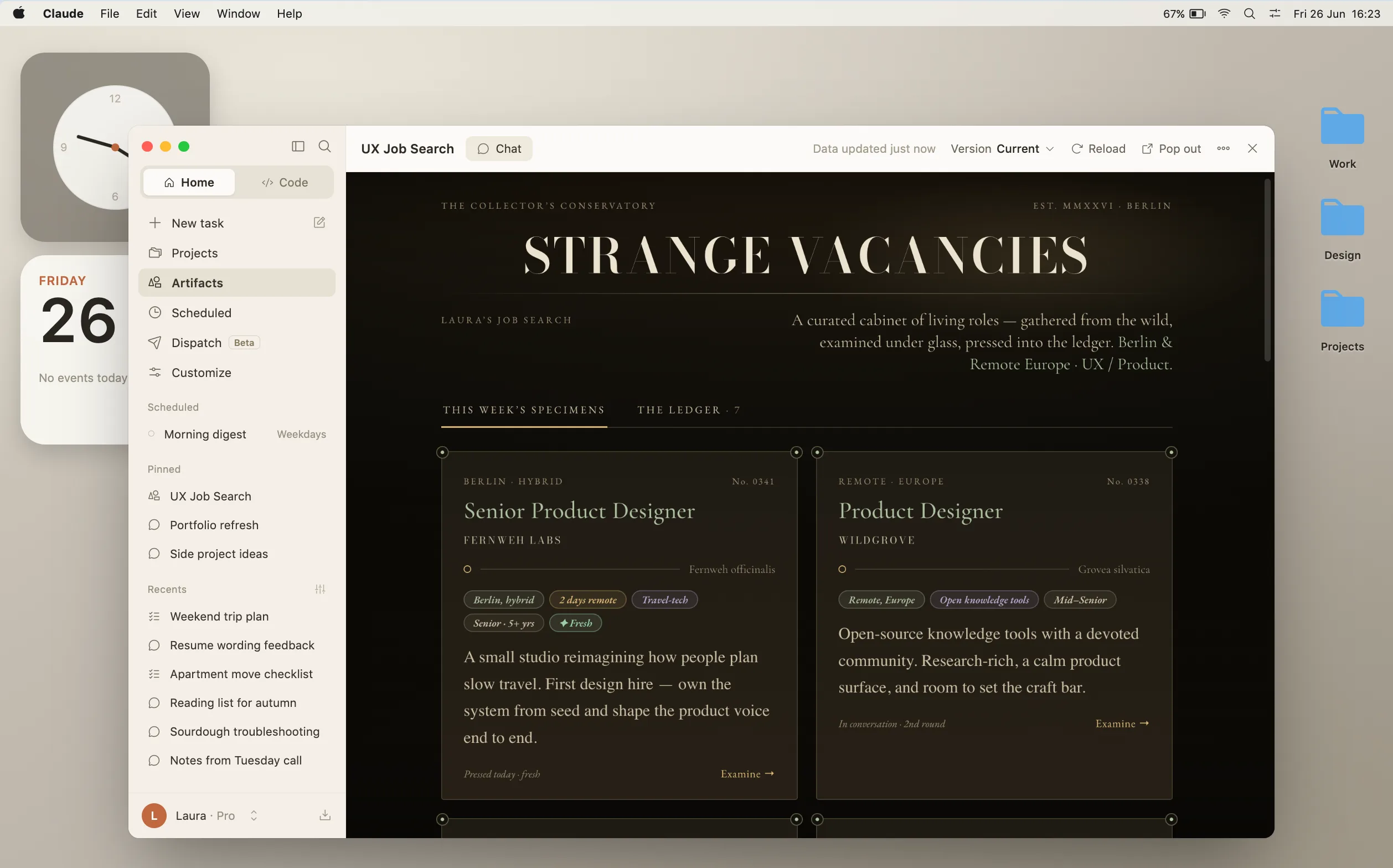
First, setting up the search 🧐
Before writing anything to Cowork, its good to create a setup, which will help a lot later. Start with a folder that you will connect to the conversation. It will be the workspace Cowork reads from and writes to. I keep mine at ~/Claude/Cowork/, with two subfolders, one holding context about you, the other holding the search itself:
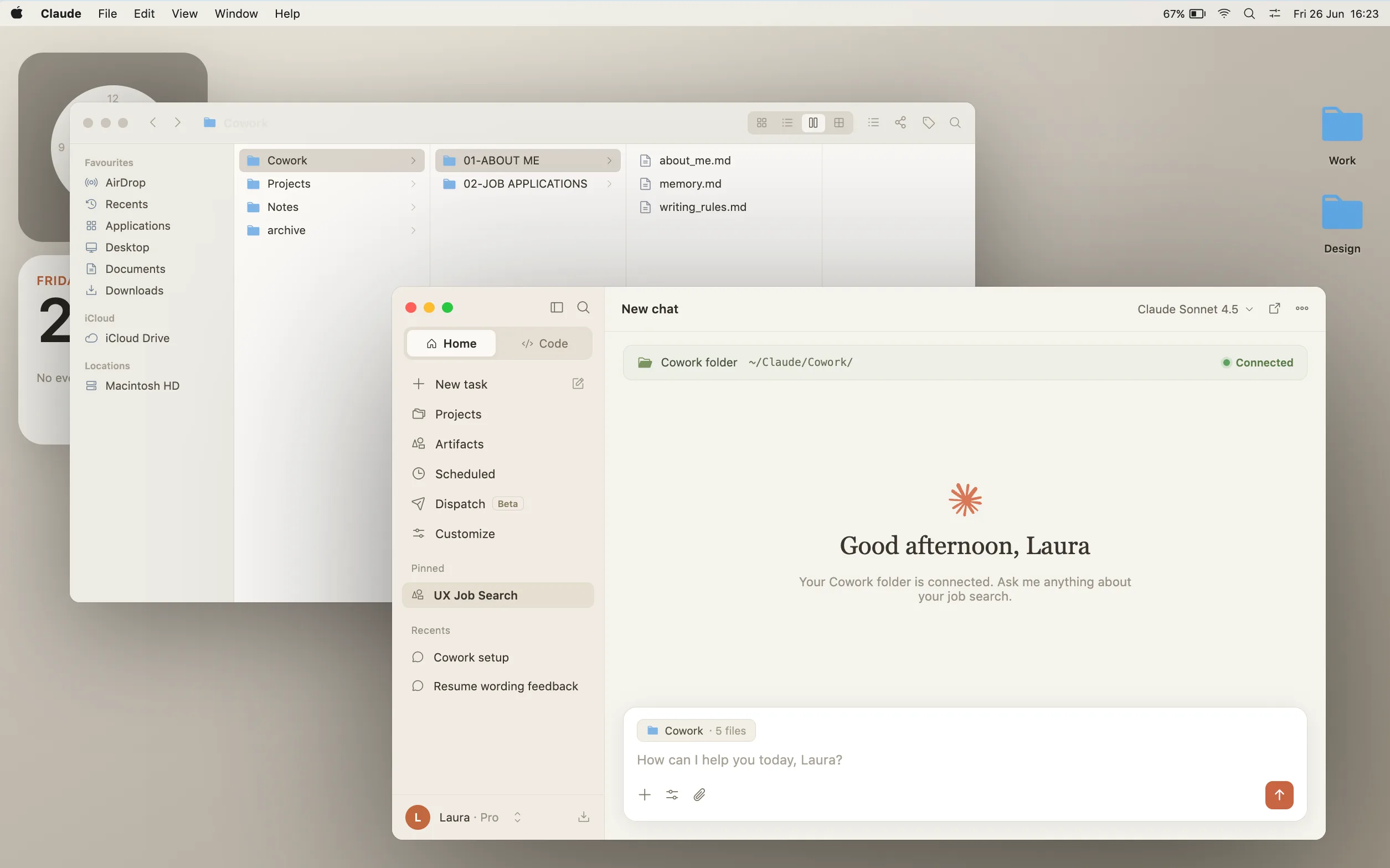
Cowork/
├── 01-ABOUT ME/
│   ├── about_me.md
│   ├── memory.md
│   └── writing_rules.md
└── 02-JOB APPLICATIONS/
    └── job-search-seen-roles.md
Open Cowork, connect that folder, and start a new conversation. Everything from here happens inside that one conversation: the search, the filtering, eventually the applications themselves.
Before any of this works, Claude needs a little context about you, the same way you’d brief a new assistant on their first day. I keep that in three small files inside 01-ABOUT ME/.
🔎 The first is about_me.md: who I am, what I’m looking for, what to skip. Nothing fancy, here’s a template you can copy and fill in:
# About Me

- Name: [your name]
- Role: [target roles, e.g. UX/UI Designer, Product Designer]
- Location: [city, and what you're open to: remote, hybrid, relocation]
- Languages: [languages you apply in]
- Portfolio / LinkedIn: [links]

## What I'm looking for
- Seniority: [e.g. mid and senior only, skip junior and internship roles]
- Industry: [open to all, or a preference, plus any bonus flags]
- Culture: [things to flag, e.g. "rocketship" or "move fast" language]
- Don't suggest: [any company or role type to leave out]

## Background, briefly
[2 to 4 sentences: your experience, your most relevant recent role, what you're known for]🔎 The second is memory.md, and you don’t actually write this one. It’s where Claude jots down what it learns between runs, a company you said no to, a detail you mentioned once and don’t want to repeat. It starts empty and fills itself in. This will be inside the instructions you will give next.
🔎 The third is writing_rules.md, and it becomes useful once you start asking help for cover letters or any other text. It’s based on a public reference, the Wikipedia page on signs of AI writing, linked right at the top of the file, and tells Claude exactly what to avoid and how to sound human instead.
Never use the em dash character “—” (nor the en dash “–” as punctuation). This is the rule that gets broken first, and the one I care about most. Replace it with a comma, a period, a colon, or parentheses, whichever fits the pause.
Download the full writing rules file 📜
Now comes the complete instruction. Once you’ve opened a new conversation in Claude Cowork and connected the folder you just created, this is what you type (replace all fields inside the brackets):
Set up a recurring task that runs every Tuesday and Thursday at 9am. Each time it fires:

Search for [your target role, e.g. UX/UI Designer] job openings relevant to me and present a curated shortlist.

## Before you search, read
- [path]/about_me.md, who I am, what I'm looking for
- [path]/memory.md, if it exists. Running notes from past sessions.
- [path]/writing_rules.md, required. Every note you write below is text I'll actually read, apply these rules to all of it.
- [path]/job-search-seen-roles.md, if it exists. Do not include any role already listed here, even if it reappears on a job board.

## My profile
- Role: [target roles]
- Location: [your city or region, and what you're open to]
- Industry: [open to all, or a preference, flag any bonus categories]
- Seniority: [e.g. mid and senior only, skip junior, internship, and head-of roles]

## Search
Search broadly for [role] openings in [your region, e.g. Berlin, or remote within the EU]. You choose the sources, the job boards, company career pages, wherever these roles actually get posted. Keep everything scoped to that region and never drop the constraint. If I have boards I already trust, I'll name them; otherwise use your judgment.

## Filter
- Posted within the last 2 to 3 weeks
- Skip anything already in the seen-roles log
- Skip roles that are clearly filled
- [any other hard rules: seniority, culture flags, etc.]

## Verify before shortlisting, this step matters most
For each candidate role, find the listing on the company's own careers page, not the aggregator or LinkedIn link, those go stale and stay "live" long after the role has closed. Open that page and confirm it's still accepting applications. If you can't confirm it's open, drop the role. Four real roles beat eight where half the links are dead.

## Output
Up to 8 verified-open roles, never padded to hit a number. For each: company, role title, location, why it fits in one sentence, and the direct link to the company's own page.

## After presenting the shortlist
Append every role shown to job-search-seen-roles.md, in this format, dated today. Create the file if it doesn't exist yet:

## [Company] - [Role title]
- URL: [link]
- Shown: [YYYY-MM-DD]
- Status: shown

## Keep memory current
If anything worth remembering came up (a company I've ruled out, a preference I mentioned, a board not worth checking again), add a short line to memory.md. Create the file if it doesn't exist yet.

## Creating an application folder
If I say I want to apply to a role (during or after the search), create an empty folder:

[path]/02-JOB APPLICATIONS/[YYYY-MM-DD] - [Company Name]/

Use today's date. Leave it empty, it's just the workspace for the cover letter and tailored CV, which we'll do in a separate session.
That seen-roles step is the part that makes this useful over weeks instead of days. Claude creates the file the first time it runs and keeps appending to it after that, you never touch it yourself unless you want to mark something skip with a reason.
Applying, without the dread 🤓
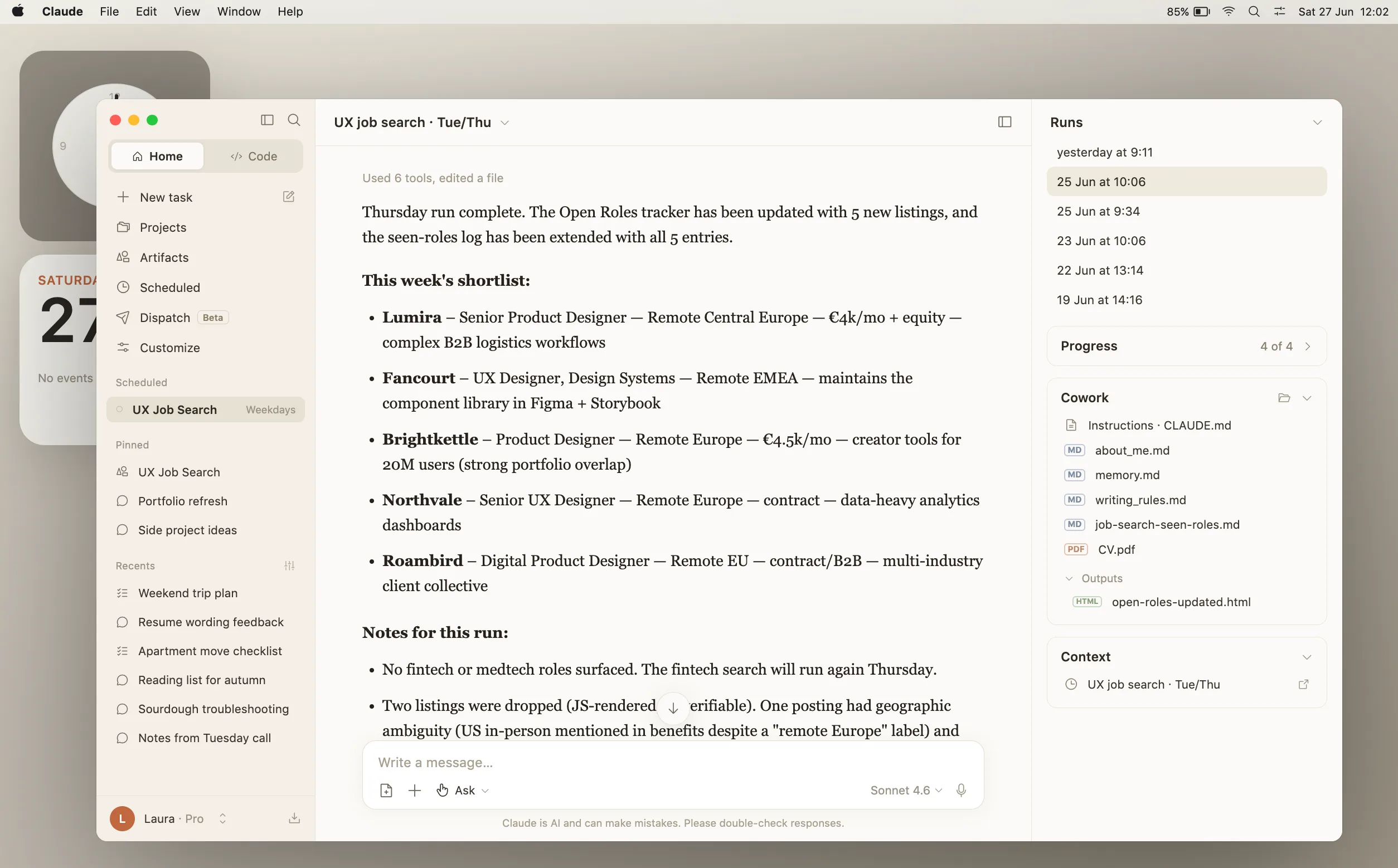
I’m deliberately not going to over-specify this part, because it’s the one you’ll want to run your own way. Most of the time I just keep going in the same Cowork conversation, where the task runs, since all my files are already loaded and it’s read them. Sometimes, to focus on a single application, I’ll start a fresh conversation instead, link the folder again so it has everything it needs, and we work on just that one. Either way it’s a conversation: it reads the job description, looks at my master CV (a file called CV in the folder), and tells me how I could sharpen it for that specific role. For the cover letter I paste whatever rough draft I have and we go over it together, with the writing rules doing their job. It’s less about “automate my applications,” but more about “give me a sharp second opinion the moment I want one.”
The cabinet itself 🧙♀️
That’s the fun part 🎉: I wanted this job-search to become a dashboard, and something which would make me smile instead of stressing me. So first, I asked Cowork for a simple artifact to view them in. That first version was cute, but nothing really special about it.
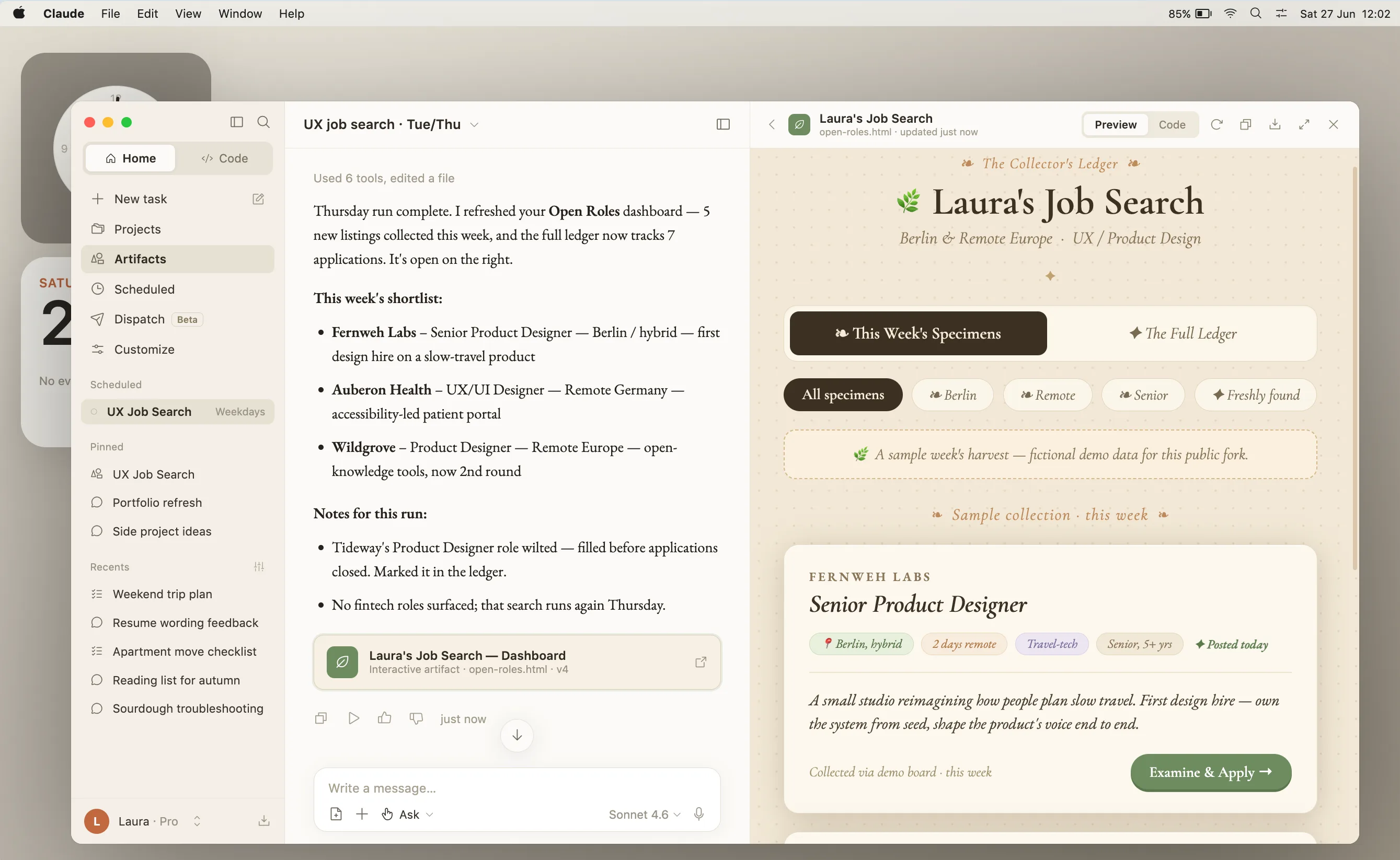
👉 So I opened Claude Design and gave it a proper brief: screenshots from Strange Horticulture, a video game I liked a lot (highly recommended for cosy gamers ☺️), a few websites whose style I’d been saving, the fonts I wanted. It gave me something to react to, and I kept nudging it with the edit tool until the cabinet actually looked like what I had in mind.
With the design settled, I brought it back to Claude Code and asked it to rebuild the Cowork artifact to match. To avoid rebuilding the artifact entirely at every run (and therefore use a lot of tokens), Claude Code suggested separating the data from the design: the roles live in a plain JSON file the search edits, and the layout never gets touched. Faster to load and it makes sure that the design stays consistent.
And the look is where you should go wild. I themed mine after Strange Horticulture, so every role arrives as a specimen card in an apothecary’s cabinet. Yours could be anything: a Mario level, a tarot spread, a sci-fi console. The data doesn’t care what costume it’s wearing 🎩
I built a job-search dashboard in Claude Cowork. The design is basic and I want to push it into something I'd actually enjoy opening.

The universe I have in mind: [name the thing — a game, film, era, place, aesthetic]. I'm attaching some screenshots as visual reference. I also found [a website / brand / studio] whose feel is close to what I'm going for: [URL].

With those references: redesign the colors and typography to match that world. The layout can stay, or change it if you have a better idea. If there's a metaphor that fits (the way cards could be specimen jars, or a list could be a logbook, or a dashboard could be a ship's console), lean into it. I want the design to commit to the universe, not just hint at it.

Start by showing me one strong direction. I'd rather react to something opinionated than choose between safe options.
Going further 🙆🏻♀️ (optional)
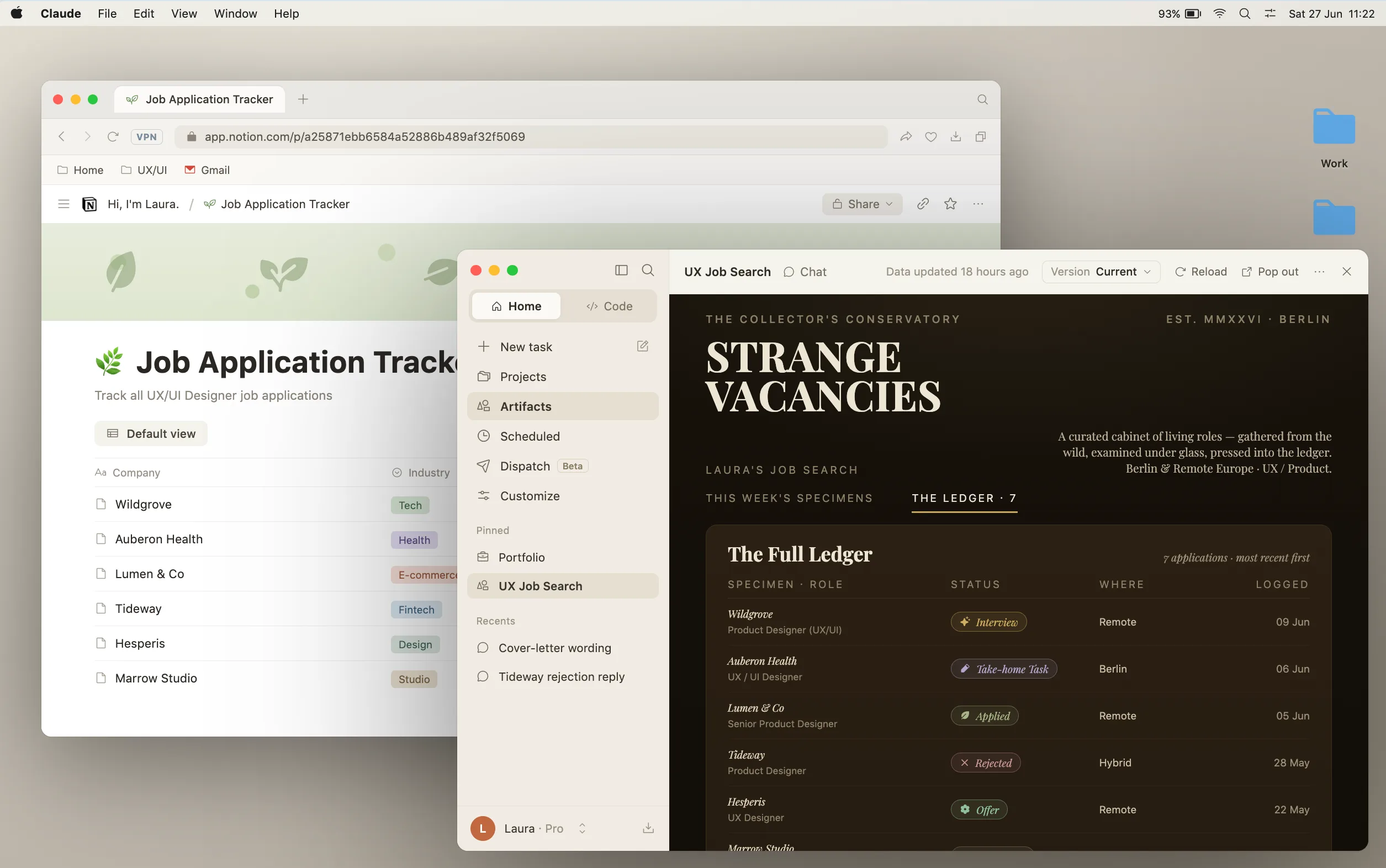
The cabinet has a second tab, and that’s what turns it from a nice view of job positions into an actual tracker. It’s connected to a real Notion list, where everything finally lands. For this to work you will need to have a Notion account and connect it to Claude. I told Claude to create a tracker page in Notion, and when I tell it I’ve applied somewhere, or that I heard back, it updates the list for me. When I’d rather do it myself, I open Notion and do it by hand. Same list either way, so the two never fall out of sync.
Another idea could be to connect your Gmail account if you have one, so that Cowork can also automatically check your emails and see if you received any answers to your applications, and then update the list without needing you to say anything. Personally I didn’t do it, as I’m not sure the extra tokens it will use make it really worth it.
🚨 Spoiler alert: Job hunting is still job hunting. You’ll still get ghosted, rejected, go through multiple rounds and it might take time until you find your next role. But you get to choose what it looks like while you wait. Mine looks like an apothecary cabinet in a cosy forest 🌿. It’s the little things, you know.